
The Betwinner Android app gives sports fans in Cameroon a versatile sportsbook and casino platform right on their mobile and tablet devices. Easy pre-match and live betting, along with a broad market selection, make it a popular choice among those who enjoy football, basketball, and much more in the region. Android phones have seen substantial uptake throughout Cameroon, and Betwinner developers built this app knowing the needs of local sports punters, making navigation simple and betting options impressive.

Download Betwinner Android Bookmaker App On Your Phone
Operating system
Android 5.0
RAM
1GB
Memory
300 MB
Languages
French, English
Betwinner Welcome Bonus
100% up to 70 000 CFA
The app’s legitimacy stands clear through its Curaçao eGaming license, which is stated up front for Cameroon users. The app comes recommended not just for the trustworthiness of the company, but also the intuitive features and support it offers. To help users feel confident, we have created a practical guide for Android owners in Cameroon, showing each step of downloading and using the Betwinner app on their gadgets.
Betwinner Android Application Design and Interface
Betwinner’s Android app presents a design that closely mirrors its website, offering easy familiarity for users on both phone and tablet. Menus rest at the bottom and top of the screen, letting users glide through markets, the Live section, and account tools without effort.
The color palette uses dark backgrounds with yellow and green highlights, helping make odds, promotions, and navigation bars pop against the interface. This layout prevents clutter, and the homepage puts immediate focus on live events and popular odds, keeping important choices prominent. Betwinner’s interface avoids distractions, offering a smooth, eye-friendly betting environment that stays comfortable even during long sessions.
Bonuses Available for Betwinner Android Users
The Betwinner Android app provides several bonuses designed to make the betting journey more interactive and rewarding. New users can pick between a sports or casino welcome offer, while regular players can find reload rewards and event-specific promotions. These bonuses give extra value to both beginners and those who bet regularly.
- Welcome Bonus: New sportsbook users receive up to 130% on their first deposit, added automatically once the deposit is made and verified.
- Ongoing Promotions: Look out for cashback offers, accumulator boosts, and bet insurance deals available to Android users on a regular basis.
- Event-Specific Bonuses: The app sometimes promotes special odds or free bets during major tournaments, so users should keep an eye on notifications.
No exclusive app download bonus currently, but all regular mobile promos apply fully through the app.
Installation and Registration Guide for Betwinner Android App
Android owners in Cameroon should always download the Betwinner app directly from the official website to guarantee safety and avoid copies. Following the original process reduces risks linked to fake or harmful APK files that can appear elsewhere online. Sticking to reliable sources means users access legitimate app updates and stable performance. Our guide below directs users step by step through the whole installation and registration process.
1
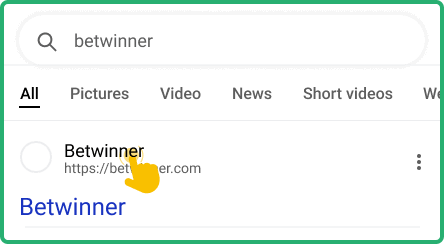
Go To The Official Betwinner Site
Access the mobile site using your Android device, making sure you see Cameroon options before taking further steps.
2
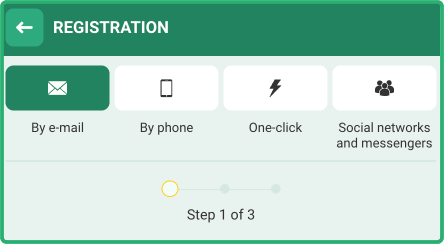
Sign Up For A New Account
Fill out the required registration form with correct details, and verify your new profile through the contact method you provide.
3
Download The APK File Securely
On the main menu or at the bottom of the page, find the Android app link, then download the APK file directly from Betwinner’s servers.  Download Betwinner Android App
Download Betwinner Android App 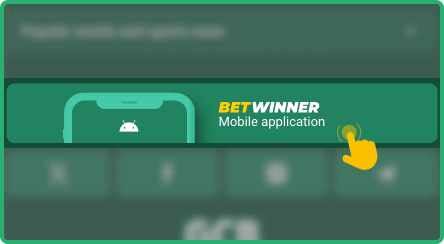
4
Install And Launch The App
Before installing, open your phone’s security settings to let it accept installs from unknown sources, then launch the APK and find Betwinner from your home or app list.
Users who prefer not to install the app can always use Betwinner’s fully optimized mobile site through any Android browser. This version keeps all core functions accessible, so you can bet easily without extra downloads.
How to Log in to Your Account on Betwinner Android App
Logging into Betwinner on Android will feel familiar to anyone who has used their desktop or browser version. It takes just a few taps and secure steps to access your account and begin placing bets or using app features. The steps below help users log in safely and start wagering on sports or games right away.
1
Find Betwinner On Your Home Screen
Locate the Betwinner icon on your Android phone or tablet’s app page to get started right.
2
Tap The “Sign In” Button
After the app opens, tap “Sign In” or similar on the main page, usually found at the top or in the main menu.
3
Enter Your Credentials
Enter your username and password, double-checking both fields to prevent error messages or lockouts.
4
Get Started With Betting
Once logged in, your profile and cashier appear, letting you deposit, activate the welcome bonus, and choose your first event to bet on.
If app installation is not possible, users can launch Betwinner through their Android browser. Most browsers such as Chrome or Firefox let you add a shortcut to your home screen, making the mobile site act much like a native app on your device.
Betwinner Android App System Requirements
Betwinner’s team built the Android app to fit a wide range of phones and tablets, helping as many users as possible access all main features. The chart below lists system requirements and relevant details to check before installation.
| Parameter | Description |
|---|---|
| License | Curaçao eGaming license cited for Cameroon |
| Operating System Version | Android 4.1 or later for basic performance |
| Free Memory Space | Minimum 100 MB recommended for installation |
| RAM | At least 2 GB for smooth operation |
| Deposit and Withdrawal Methods | Visa, Mastercard, Skrill, Neteller, Jeton Cash, cryptocurrencies (BTC, ETH, USDT, TRON), and more |
| Sports Betting Events Available | Over 1,000 daily, including football, tennis, cricket, basketball, and niche sports |
| Betting Markets and Odds | 30+ live markets per event (e.g. corners, cards, and unique game stats) |
| Languages | English and French (translation stated for Cameroon) |
Updating Betwinner Android App to the Latest Version 2026
Using an outdated Betwinner app can result in frustrating bugs, missing features, and sometimes blocked access to sports events. Security risks increase as vulnerabilities go unpatched, and outdated apps might fail to fulfill legal requirements or new market rules. Always keep your version current using one of these approaches:
- Download the latest APK file directly from the official Betwinner website when prompted or when a new version is available.
- Rely on secure third-party APK updaters only if necessary and always confirm the source.
- If your version supports built-in updates, use the “Check for Updates” link in your app’s account or settings menu.
Betwinner Android Mobile App Main Features
The Betwinner Android app delivers all the main features found on its desktop and browser sites, optimizing them for the smaller screen. Users can browse markets, place live bets, manage deposits, watch matches, and receive targeted alerts straight on their mobile gadget. The app’s strengths go beyond the betting menu, giving a complete set of sportsbook and casino tools in a lightweight app that works across multiple Android versions.

Push Notifications
Betwinner’s push notification feature keeps users updated on results, new promotions, and in-play market shifts. Users get real-time alerts about account actions, bonus offers, or live score changes for their favorite sports.

Live Betting and Streaming
The app stands out for live betting, providing over 30 unique in-play markets on many events. On top of this, a built-in “Online TV” feature gives streaming access to select matches, so users never miss the action as bets unfold.

Face ID Access
For added security and speed, Betwinner’s Android app includes biometric login like Face ID or fingerprint where available. This extra layer helps keep accounts safe without the hassle of typing passwords each time.
Customer Support Available for Android Users
When questions or technical issues arise, Betwinner offers 24/7 customer support channels easily accessible from the Android app. Users can quickly get help on account, app, or transaction issues with different methods, and support is available in both English and French.
Contact options include:
- Live chat with an online consultant inside the app
- Email support (listed on official Cameroon page)
- Direct phone hotline for urgent support
Help can also be found in the app’s FAQ section, offering advice on common questions and basic troubleshooting.
Pros and Cons of the Betwinner App for Android
Advantages
- More than 30 live betting markets available per sports event, covering unique stats like corners and cards.
- Large menu of payment methods, including traditional bank cards, e-wallets, and many global cryptocurrencies.
- Around-the-clock customer support, with multiple ways to reach a support agent quickly for any issue.
- “Online TV” streaming, making it possible to watch select matches while tracking in-play bets directly in the app.
- Supports two major languages (English and French), meeting the needs of Cameroon’s most active punters.
Disadvantages
- App installation requires users to download an APK file rather than using Google Play, which might be unfamiliar for beginners.
- Devices need at least 2 GB RAM and roughly 100 MB of free space, so older phones could have problems running the app smoothly.
- A stable internet connection is necessary for live betting and streaming, which can be unreliable in some areas.
FAQ
Can I Use Apple Pay To Deposit And Withdraw On Betwinner Android App?
Betwinner’s Android app does not offer Apple Pay as a payment method. Users looking for an easy and secure way to deposit or withdraw should consider options like Visa, Mastercard, Skrill, Neteller, and supported cryptocurrencies. These choices are readily available and work seamlessly for Cameroon-based Android users. All options function directly through the app’s cashier feature.
What Should I Do If The Betwinner Android App Does Not Work?
If the Betwinner app is not responding or fails to start, first check your device’s internet connection and available storage space. Make sure you have installed the latest app version from Betwinner’s official website, as outdated APK files can cause technical issues. If the problem continues after following these steps, reach out to Betwinner’s 24/7 customer support by live chat, email, or phone for further help.
How Can I Check If My Device Is Compatible With Betwinner Android Application?
To check device compatibility before downloading Betwinner, review your phone’s OS version in device settings and confirm at least Android 4.1 is present. Storage requirements need at least 100 MB of free space and 2 GB of RAM for smooth use. You can also compare your specifications with the system requirements table in this guide or check compatibility FAQs in the Betwinner app support section.